Workforce Management App vs Legacy Systems | Merge Insights
Workforce Management App Solutions: The Difference Between a Legacy System and a Modern AI Platform Target Keyword: workforce management app
Every business running a workforce eventually hits the same fork. The rostering spreadsheet. The phone check-ins. The after-the-fact incident report that was fine when the team was small enough for one manager to keep track of everyone. That approach has a ceiling, and most Australian businesses managing field teams, remote workers, or multi-site operations have already hit it. The system did not stop working overnight. It just stopped keeping up.
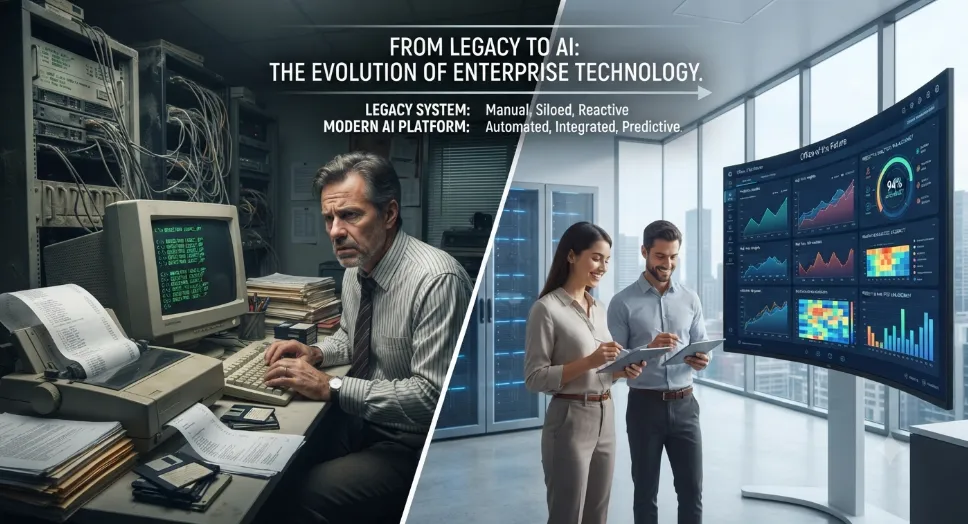
This is the point where two clearly different paths emerge. One is a legacy system, built to store records and generate reports after something has already happened. The other is a modern AI workforce management platform, built to act on data as it comes in, flag risk before it becomes an incident, and give managers a live view of their workforce instead of a delayed one. The difference between the two is not cosmetic. It changes how fast a business can respond when something goes wrong and how much of that response depends on luck versus system design.
What Is a Workforce Management App?
A workforce management app is the system a business uses to schedule staff, track attendance, monitor safety, and see what's actually happening across a workforce in real time. That usually means one platform handling shift scheduling, location tracking, task assignment, and incident response instead of five separate tools doing each job on their own.
For businesses running field teams, lone workers, or multiple sites, this goes well beyond basic rostering software. A modern workforce management app, like Merge Insights, pairs AI-driven scheduling with live worker visibility and built-in emergency response. Managers end up working from what's happening right now, not a report someone pulls together the next morning.
The Real Cost of Running on a Legacy System
The cost of a legacy system rarely shows up as one big number. It shows up in small, repeated losses that build up quietly, week after week, until nobody can say exactly where they started.
On a typical week, that looks like:
A supervisor losing twenty minutes each morning chasing down who actually turned up because the roster on paper stopped matching reality days ago
Safety incidents logged hours after the event, once someone remembers to fill in the form
Attendance and location data scattered across spreadsheets, apps, and phone calls that never fully reconcile
Safety gaps that stay invisible until an audit, or an actual incident, forces the question
None of these feel urgent enough to fix on their own. Together, they're admin hours nobody budgeted for, safety obligations resting on memory instead of process, and decisions made on information that's already stale by the time anyone acts on it.
What a Modern AI Workforce Management Platform Actually Does
A modern platform doesn't just digitise the old process. It changes when a business finds out about a problem, shifting from end-of-day reporting to real-time action.
Smart scheduling. Adjusts to availability, skills, and workload as things change, instead of a roster someone rebuilds by hand every time a shift falls through.
Predictive risk flagging. Spots patterns, like a worker heading into a high-risk zone or a fatigue-linked shift pattern, before they turn into incidents.
Automated attendance and geofencing. Confirms who's on site without anyone manually checking in or out.
Live location tracking. Shows where every worker is right now, not where they were last logged.
One-press emergency response. Alerts the right people the moment something goes wrong, with location data attached automatically.
These features matter most when something actually goes wrong. If a worker triggers a duress alert, the system already knows their shift, their last confirmed location, and who's supposed to be reachable, so the alert reaches the right supervisor with context attached instead of a manager starting from scratch to work out who's involved.
Signs Your Business Has Outgrown Its Current System
Most businesses don't decide to switch systems on a specific day. The shift is usually forced by growth, not by any single failure.
That tends to show up as:
A new site, shift type, or contractor group gets added, and the current setup needs a manual workaround just to handle it
Two people give different answers when asked how many staff are on shift right now
A safety incident happens, and it takes several phone calls to confirm exactly where the worker was at the time
The business has grown past the headcount the current system was originally set up for, and every new addition makes it more fragile
A manager can no longer name, without checking, who is rostered on today across every site
On their own, none feel urgent enough to force a decision. Together, they usually mean the business has changed shape, and the system hasn't kept up with it.
Lone Worker Safety and Why It Changes the Conversation
Most of what a workforce management app handles - scheduling, attendance, task assignment - is about keeping operations running. Lone worker safety asks something different of the same platform: not just to track a shift but to know if the person on it is safe and to act within seconds if they're not.
Why safety can't sit in a separate system. A worker on a remote site or an after-hours callout has no colleague nearby to notice a problem. If safety monitoring lives in a separate system from scheduling and location tracking, the app knows where someone is supposed to be, but not whether they're alright, and the two systems never talk to each other in the moment it matters.
Why a phone isn't enough on its own. Signal drops. Batteries die. An app depending entirely on a phone connection has a blind spot built into it, and that blind spot is exactly where lone worker risk tends to sit.
Where this leaves the platform. This is why a workforce management app built for lone worker safety needs a direct line to the worker that doesn't depend on a phone alone. An emergency wrist watch, worn rather than carried, gives a worker a way to send a one-press alert with location attached, independent of whether their phone has signal or charge left.
For a business, the app isn't just managing a shift anymore. It's managing whether the person on that shift makes it through safely, and that's a different job than rostering alone was ever built to do.
Merge Insights builds this directly into the platform. Geo Guard Duress supports BLE wearable triggers, including an emergency wrist watch, so a one-press alert reaches Government-Certified A1 Monitoring Centres with GPS location, a What3Words address, and live audio sent automatically, giving responders priority access to police, ambulance, or fire without queuing through triple zero.
Conclusion
The gap between a legacy system and a modern AI platform isn't about which looks better in a demo. It's about what a business actually knows on any given day: who's rostered, who's on site, who's safe, and how fast that information reaches someone who can act. A legacy setup answers those questions after the fact. A modern workforce management app answers them while there's still time to act.
For Australian businesses managing distributed teams, remote sites, or lone workers, that difference carries real weight in admin hours saved, schedule adherence that no longer depends on memory, and a safety response that reaches the right people in seconds rather than after a missed check-in.
Merge Insights was built around that shift, bringing workforce management software Australian businesses rely on together with real-time safety technology in one system. If you're still running on spreadsheets and phone check-ins, that cost is already being paid, just quietly. Book a demo to see what real-time visibility and lone worker safety actually look like in practice.
Frequently Asked Questions (FAQs)
1. How long does implementation take?
It depends on team size, but since the platform is no-code, most of the time goes into setting up schedules and safety rules, not building software.
2. Do staff need training to use it?
Not much. The worker-facing app is simple and mobile-first. Most of the setup work falls on managers, not staff.
3. Does it work with our existing payroll system?
Most modern platforms integrate with payroll and HR tools, which cuts down on the manual data entry errors legacy systems are prone to.
4. Is worker location tracked all the time?
No. Good systems only track location during active shifts or in set zones, not around the clock.
5. How do we know if our business actually needs this?
It's less about size and more about visibility. If a manager can no longer personally keep track of who's where and whether they're safe, it's time to look at a system that can.
